Artificial intelligence (AI) is not going away—in fact, these tools are growing in popularity in the association management industry. A study by the Association Societies Alliance found that 69% of associations are likely to invest more time and money into AI, underscoring the broad push toward AI implementation.
However, with the rush of newly developed AI tools, getting started can feel overwhelming. To help you make sense of the AI landscape, this guide breaks down the basics and offers insightful recommendations from industry experts, covering:
Remember that you don’t have to know and plan for everything when getting started. As Mallory Mejias of Sidecar says, “The associations making real progress aren’t the ones with the biggest budgets or the best plans. They’re the ones who stopped planning and started doing.” To help your association take action, the following FAQs cover the foundational knowledge you need about AI.

AI for Associations FAQs
What is AI for associations?
AI for associations involves using artificial intelligence technology to conduct association operations and membership management, typically through workflow automation, member communications personalization, content generation, and predictive analytics. Some AI tools, like chatbots or AI-powered agents, can also provide round-the-clock customer service to members.
How are associations using AI?
There are many different ways to use AI, and tools are constantly evolving. Some common use cases for AI in an association management context include:
- Hyper-personalizing communications
- Predicting member churn and proactively intervening with at-risk members
- Automating member support
- Repurposing or repackaging content (e.g., quickly clipping highlights from long webinars to use as short-form social media content)
- Supporting content production by generating trending topics, outlines, first drafts, etc.
- Streamlining repetitive administrative tasks
- Synthesizing data, including industry research
We’ll dive deeper into exactly how associations are using popular AI tools later.
What are the benefits of using AI for associations?
Associations aren’t adopting AI tools just because everyone else is. This technology offers tangible benefits, such as:
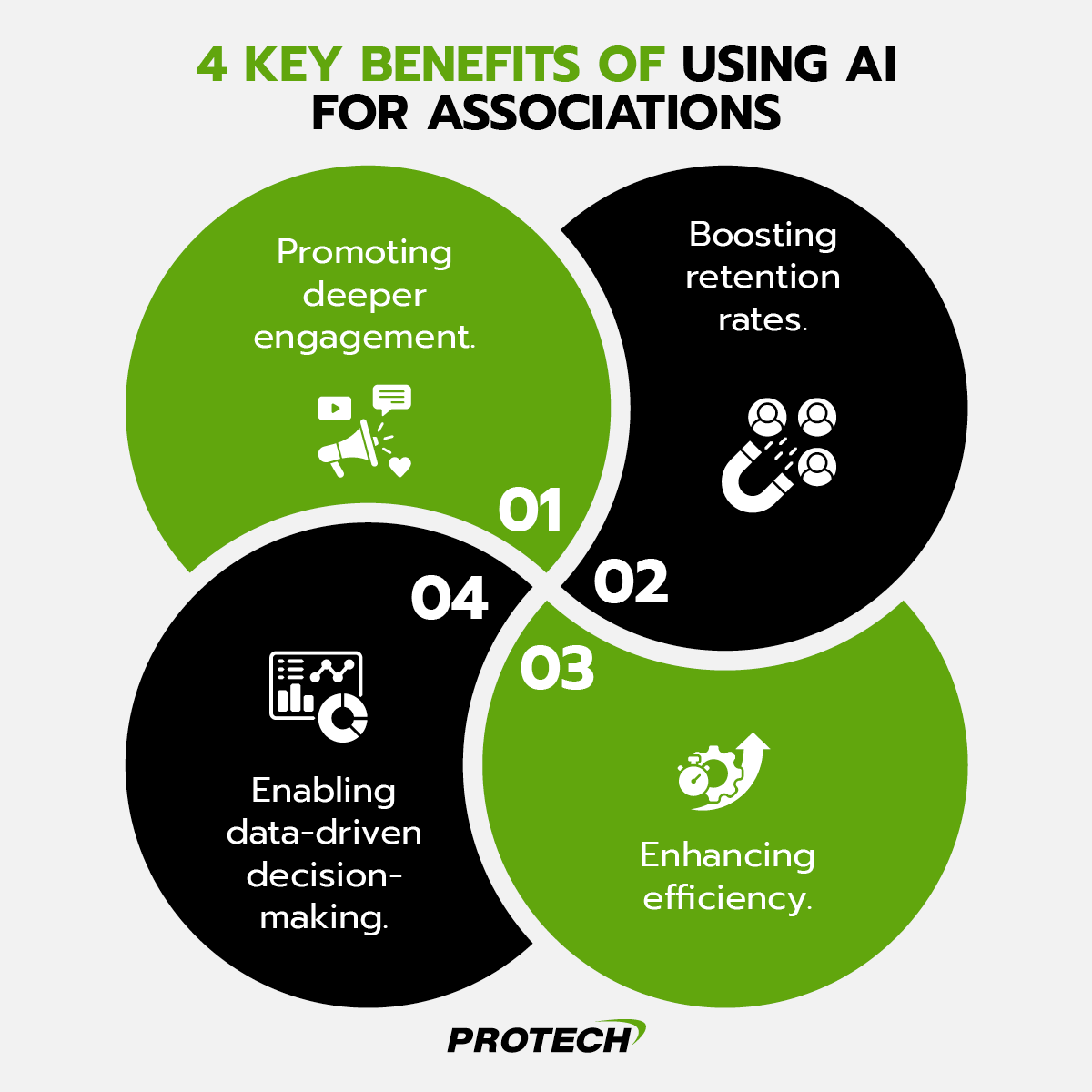
- Promoting deeper engagement. Go beyond generic emails and static member portal content. With AI, you can provide hyper-personalized experiences, targeting members with relevant and engaging content that they want to engage with. For example, if a member views leadership development materials on the portal, AI can then recommend a relevant leadership training course.
- Boosting retention rates. Engagement leads to higher retention rates, but AI can also help you repair connections with members who have drifted away. AI data analysis tools can analyze a member’s engagement history, flag at-risk members, and initiate personalized interventions and check-ins to win them back.
- Enhancing efficiency. AI tools excel at handling the high-volume, low-value tasks that can eat up hours of your team’s time. Leverage AI to automatically generate meeting minutes, summarize long reports, and more.
- Enabling data-driven decision-making. Connect AI to your association’s database, and it can help you spot key trends and insights to inform your decisions. Additionally, some tools can simulate outcomes to help you make the right decision (e.g., modeling how a dues increase might impact retention before announcing it).
These benefits come together to support your bottom line, offer tailored experiences at scale, and help your association deliver competitive, indispensable value to its members.
What is the 30% rule in AI?
There are two “30% rules” in AI, and both apply to using AI to enhance association management:
- 30% of task ownership: This rule asserts that AI should handle about 30% of your association’s tasks—typically those high-volume, low-value tasks—while human staff members take over the rest.
- 30% of output: This rule is more common in education, but it states that no more than 30% of an essay, blog post, or other content should be AI-generated. The remaining 70% should be developed by a human.
These are not hard and fast rules that your association must abide by, and it can be hard to track exact percentages. Just keep these in mind as a general rule of thumb. For example, the 30% rule regarding content serves as a helpful reminder to fact-check AI outputs to ensure your association remains a credible, trustworthy thought leader.
Top Association AI Tools
There are many AI tools already on the market, and new tools are constantly being developed. So, how do you know which ones are right for your association?
Our eBook, The Indispensable Guide to AI for Associations, covers the most popular AI tools for associations, breaking down their use cases and sharing expert opinions. Download your copy to explore the full list.
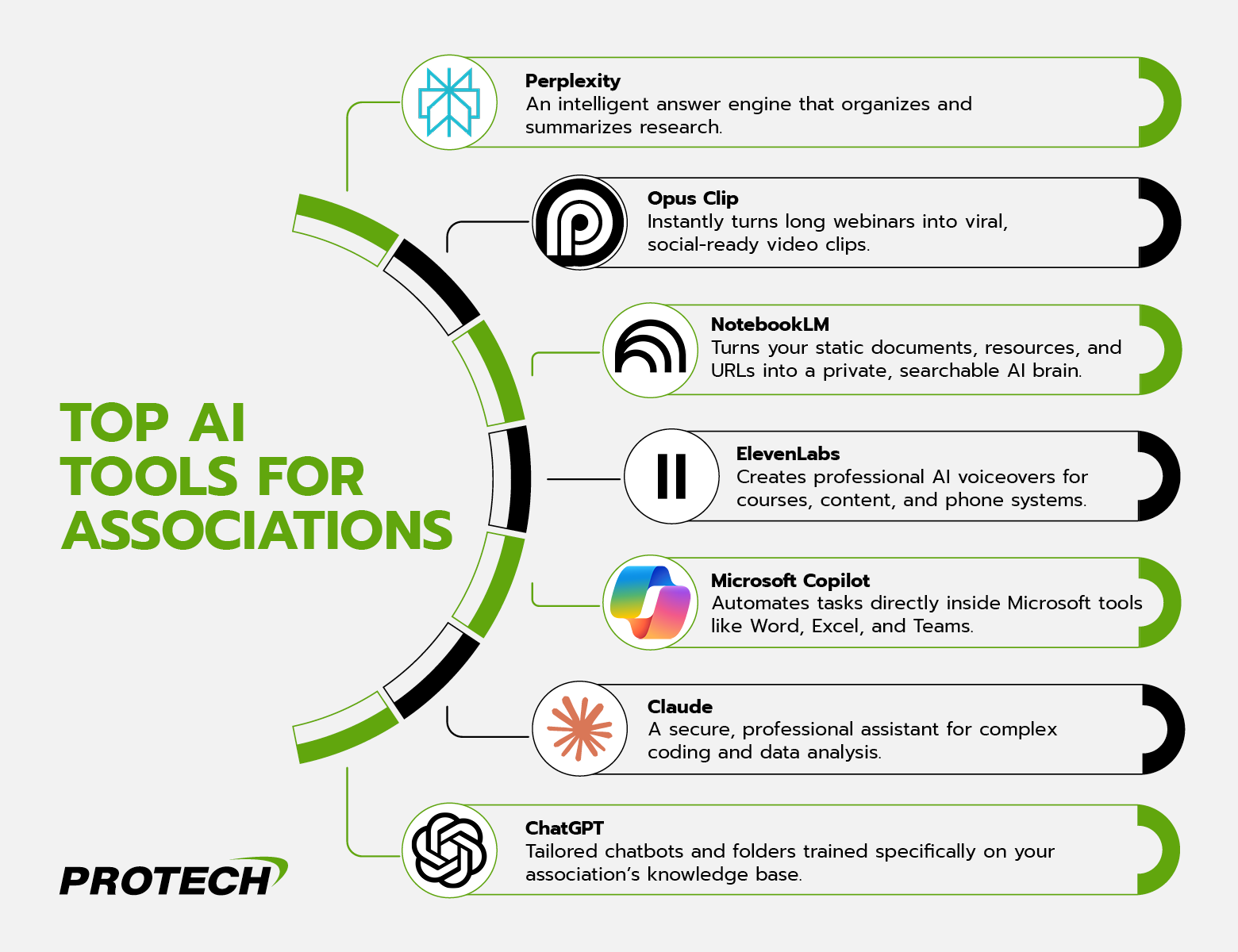
As a preview, here are a few key platforms to consider:
For Research & Intelligence
Perplexity
Perplexity defines itself as a “free, AI-powered answer engine,” and it aims to answer questions with trusted, timely responses. Some experts describe Perplexity as the “Google Slayer” or the “new Google.” However, Perplexity acts as more of a conversational answer tool rather than a traditional search engine. Think of it as an AI researcher and intelligence hub.
Key Uses for Associations
- Research new members and construct robust profiles.
- Track industry trends and competitive analysis using custom Spaces (collaborative workspaces for specific projects, processes, etc.).
- Identify innovative non-dues revenue ideas with sourced data.
Hear From an Expert: “Instead of doing research and clicking on one link after another, ask Perplexity a question. It’ll search multiple sites and organize the info into an interactive page.”
— Beth Ziesenis, Author, Speaker, and the creator of Your Nerdy Best Friend
For Content Repurposing
Opus Clip
Opus Clip is an AI video clipping and editing tool. It analyzes long-form content, such as an hour-long webinar, and pinpoints the most compelling, viral-worthy clips. From there, Opus Clip automatically clips out these engaging moments, giving you a social-media-ready video in just one click.
Key Uses for Associations
- Upload recordings of various meetings to find highlight clips you can share with members.
- Create social-ready, vertical videos for TikTok, Reels, or Shorts that are primed for virality.
- Extend engagement for events long after they have ended, making the most of your investment and content.
Hear From an Expert: “Tools such as Opus Clip let you upload a long video to let the AI find the perfect clips for marketing and social media.”
— Beth Ziesenis
NotebookLM
Think of Google’s NotebookLM tool as a “mini knowledge model.” In other words, you will upload your own PDFs, policies, brand guides, journals, and website URLs to train the model. NotebookLM’s AI capabilities essentially transform this data into a private, searchable brain. For example, you might ask it to summarize your current onboarding process and get a quick and accurate answer in seconds.
Key Uses for Associations
- Generate “Audio Overviews” (or AI podcasts) that summarize complex reports or procedures for staff or members.
- Create study materials to help members prepare for professional development exams.
- Draft social media posts that align with your brand and voice, based on uploaded archives, style guides, etc.
Hear From an Expert: “It’s a way to maximize the value of existing intellectual capital while reducing staff workload.”
— Dan Streeter, Founder & CEO, Mission Fuel
ElevenLabs
ElevenLabs is an AI voice generator, known for generating realistic, natural speech. ElevenLabs offers thousands of different voices to read your inputted text aloud. The tool can even include tonal cues like “whisper” in the voiceover to create a natural and engaging feel.
Key Uses for Associations
- Create professional-level voiceovers to read or narrate educational content.
- Power your association phone systems with custom AI voices, offering better customer service.
- Update course narration instantly without costly, time-consuming re-recording sessions, ensuring your resources are always up-to-date.
Hear From an Expert: “We’ve automated the entire update process… the LCA uses ElevenLabs to generate professional AI voice narration.”
— Mallory Mejias, Sidecar Sync Podcast Co-Host & Producer
For Routine Tasks
Microsoft Copilot
Microsoft Copilot is a comprehensive AI assistant integrated into the Microsoft 365 ecosystem. This means that if your association already uses Microsoft tools like Word and Excel or an AMS platform built on Microsoft, like Protech, Copilot will function seamlessly within your existing digital workspace. Copilot offers generative capabilities to help you draft emails, create content, answer questions, summarize meetings, provide coding assistance, and more.
Key Uses for Associations
- Pair Copilot with Excel to analyze complex data or explain the logic behind formulas.
- Pair Copilot with Teams to boost productivity by automatically generating transcripts, summaries, and action items after meetings.
- Pair Copilot with PowerPoint to generate presentations from outlines or written content.
Hear From an Expert: “Professionals no longer have to Google for formula solutions, just tell Copilot what you want, and it’ll do it for you!”
— Joe Burak, Founder and Chief Strategist, TRANSiT Strategy & Analytics
Claude
Claude is an AI model that boasts that it can “do it all.” The platform is capable of coding, data analysis, and acting as a comprehensive virtual assistant. It is noted for having a more professional or refined style than some other tools.
Key Uses for Associations
- Leverage Claude as an executive assistant by integrating the tool with your calendar and email to check availability, draft meeting invitation emails, and more.
- Upload raw survey CSVs and ask Claude to generate charts, tables, and organized Excel files.
- Write programs to bulk-transcribe audio files without coding experience.
Hear From an Expert: “Claude Projects are like having little AI assistants that remember everything about specific topics… The persistent context means I don’t have to re-explain background information every time.”
— Mallory Mejias
Custom GPTs and GPT Projects
You’ve likely heard of ChatGPT, an advanced AI chatbot that is capable of answering questions, generating content, and assisting with tasks like coding and research.
Custom GPTs and GPT Projects are tailored versions of ChatGPT that are trained on specific association assets, like bylaws or manuals. Custom GPTs are bots your association can create for specific tasks or workflows (e.g., generating workshop activities or conference topics) and share with the rest of your team. GPT Projects act as containers or folders for complex, long-term tasks and offer consistent memory.
Key Uses for Associations
- Create a “Member Services GPT” to help you quickly answer routine renewal or CEU questions based on policy documents.
- Manage multi-step workflows for projects that require context, like gathering updates and drafting talking points for an ongoing advocacy initiative.
- Develop custom personas. For example, Liz Peuster, Chief Communications Officer for the South Carolina Association of CPAs, created a custom project named “Paige” that acts as a copy editor trained on her association’s specific style guide.
Hear From an Expert: “In 2025, associations don’t just need AI—they need AI tailored to their members, their mission, and their knowledge base.”
Ethical Considerations for Using AI
Any time your association implements a new tool, keep ethical considerations, such as the security of members’ data, in mind. To prevent leaks or inappropriate AI use that could leave your association vulnerable, use enterprise accounts that do not use your inputs to train the tool. Then, create a clear AI usage policy.
An AI use policy dictates how and when staff can use AI, what tools are permitted, what kinds of data they can feed the models, and guidelines for verifying outputs and avoiding bias. Additionally, train staff on how to use AI tools via synchronous training sessions that give them the opportunity to ask questions or highlight concerns. Vague instructions or loose guidelines could open the door to staff experimenting on their own in unsafe ways.
Limit AI hallucinations and ensure accurate outputs by staying up to date on data hygiene. Frequently identify and remove outdated, duplicate, or inaccurate information from your database. However, you should still always include a human review step to verify that AI-generated results are accurate and in line with your values.
Wrapping Up
We agree with the experts—it’s time for associations to move on from planning and talking about AI and start using these tools in everyday operations. To get started, experiment with two or three of the tools outlined in this guide within the next month.
Encourage a small group of team members to try out the tools with you, aiming to find creative ways to use them. Compare use cases, successes, and failures to determine if you’ll integrate a tool into your existing tech stack. Reach out to our team at Protech today to learn more about how our comprehensive association management software seamlessly enables AI.